Case Study · Logistics Software · Operations

Easy Global Logistics Tracker

A system to track every shipment Easy Global moves — from intake and weighing to the client ledger, the invoice, and, soon, a portal where customers can check their own status by tracking code.

Role
Developer
Timeline
2026 · 2 months
Domain
Logistics · China–Bangladesh
Build
Solo
Overview

Where it started

Before this, every shipment was recorded by hand, straight into each customer's ledger. Nothing was centralized: updating a customer meant digging through their sheet, there was no web portal, so customers had little visibility into where their shipment stood, and there was no way to store photos against a shipment at all.

The tracker replaces that with one system — input once, and the ledger, the invoice, and (soon) the customer all see the same data.

The problem

One shipment, retyped everywhere it mattered

Before

  • Every shipment entered by hand, directly into each customer's ledger
  • Nothing centralized — no single place to see all shipments
  • Updating a customer meant manually finding and editing their sheet
  • No web portal — little transparency for customers
  • No way to attach or store product photos

After

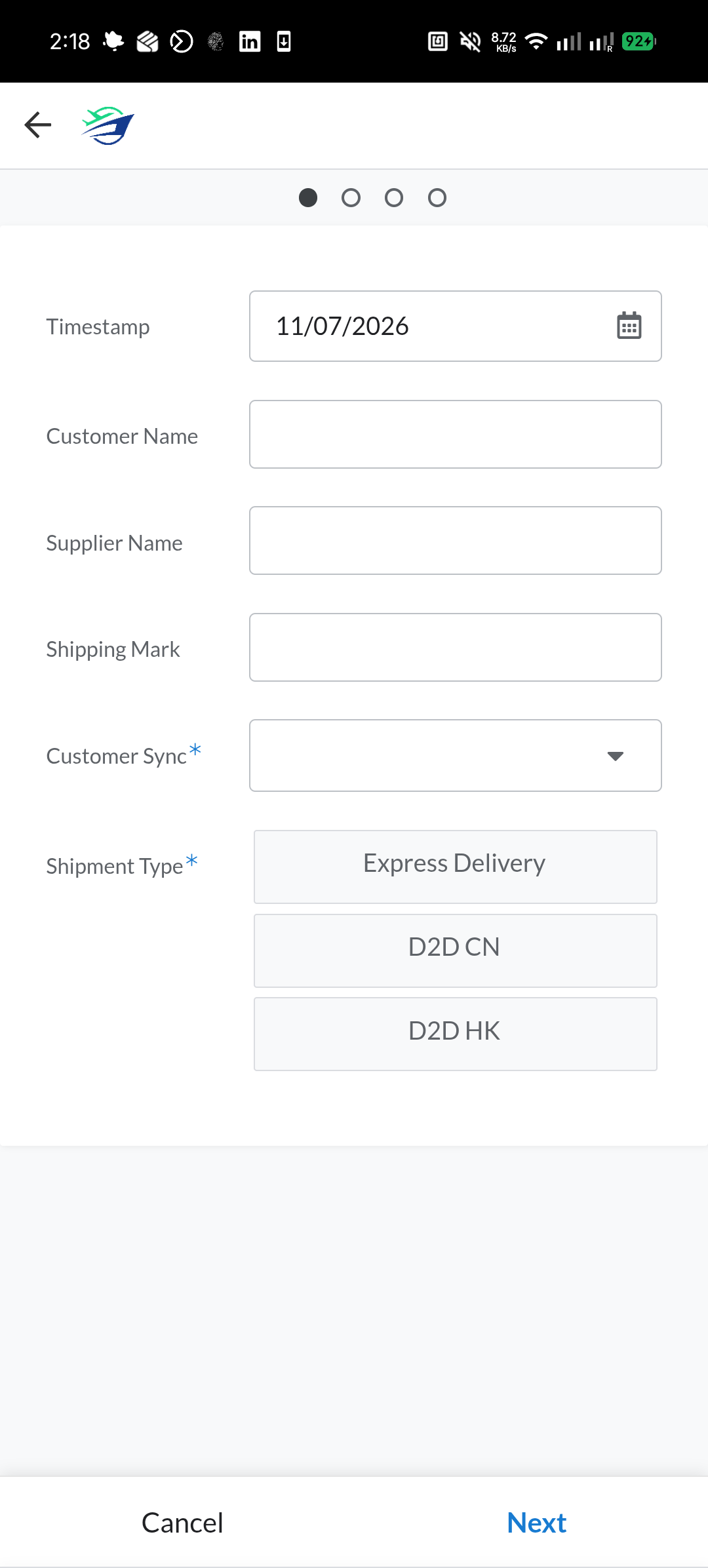
  • One AppSheet form captures every inbound/outbound shipment
  • Shipment cost auto-syncs to the right customer's ledger via Customer Sync
  • Invoices generate straight from the ledger
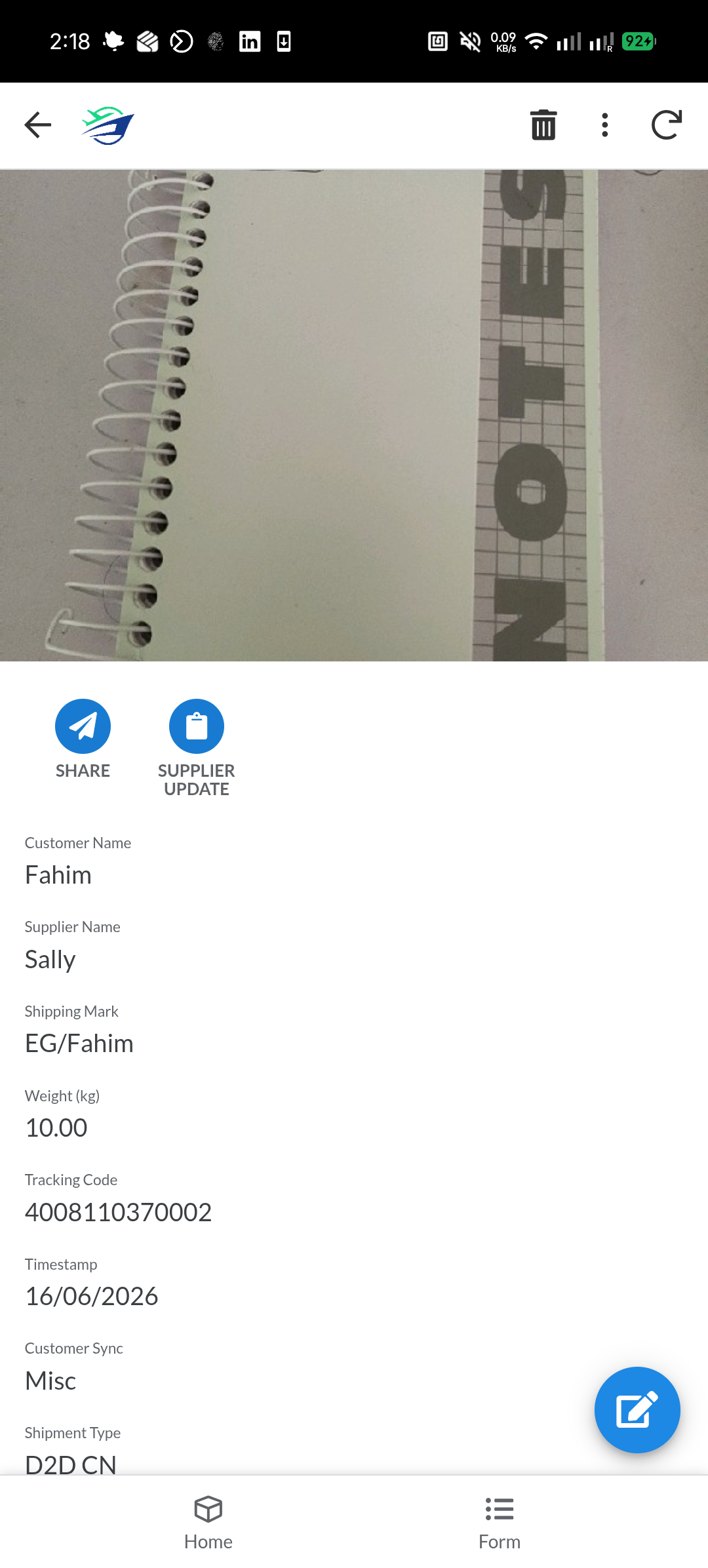
  • One-tap Share / Supplier Update — a formatted message, copied and ready to send
  • Up to 3 product photos stored per shipment
  • A tracking-code web portal in progress for customers to self-serve
How it works

From intake to invoice

Intake
AppSheet form
Customer, Supplier, Shipping Mark, Shipment Type
→
Processing
Weigh-in (kg)
Tracking Code
Product Photos
→
Sync
Customer Sync
Client Ledger · Google Sheets, formula-synced
→
Output
Invoice generation
Share / Supplier Update
Tracking portal (soon)
Google Sheets is the single source of truth — AppSheet, the ledger, and the portal all read from it
The staff workflow

Order of operations

1
Shipment logged
Customer, Supplier, Shipping Mark, and Shipment Type (Express Delivery / D2D CN / D2D HK) entered in AppSheet.
2
Weighed
The shipment is weighed and the kg value recorded.
3
Tracking code assigned
The identifier the customer will later search by.
4
Photos attached
Up to 3 product photos saved against the shipment.
5
Synced to ledger
Customer Sync routes the shipment's cost into that client's ledger automatically.
6
Update sent
Share or Supplier Update auto-generates the message; paste and send.
7
Invoiced
The ledger's shipment history becomes the customer's invoice.
Features

What the tracker does

01 · Intake

Centralized shipment intake

Every inbound/outbound shipment captured in one AppSheet form.

02 · Ledger

Auto ledger sync

Shipment cost flows into the right customer's ledger automatically.

03 · Comms

One-tap updates

Share / Supplier Update copies a ready-to-send status message.

04 · Records

Photo capture

Up to 3 product photos stored per shipment.

05 · Billing

Invoice generation

Invoices built straight from the ledger's shipment history.

06 · Transparency

Customer tracking portal (in progress)

Search by tracking code for status, weight, and photos.

Screens

Inside the tracker
Easy Global tracker screen mockup 1
Mockup 1add 1.png
Easy Global tracker screen mockup 2
Mockup 2add 2.png
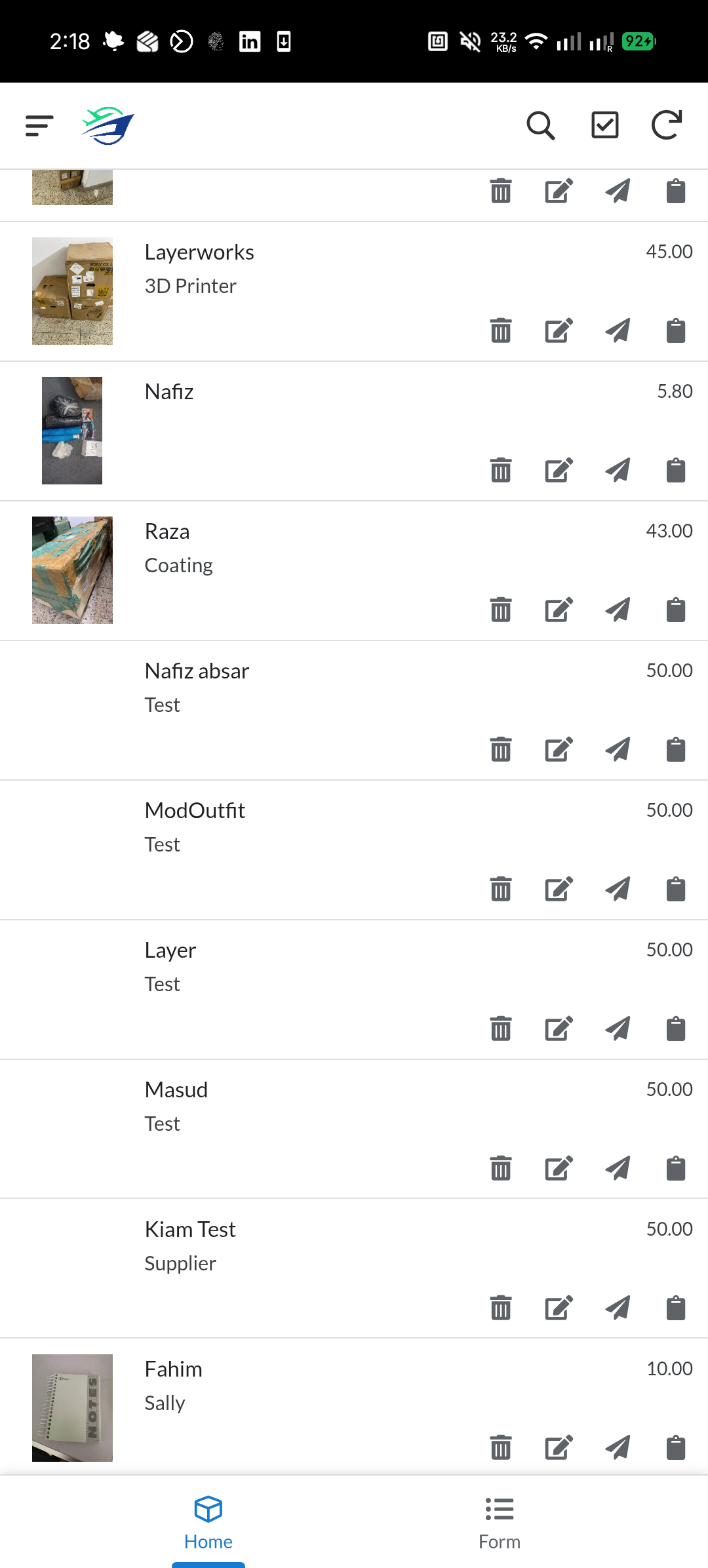
Easy Global tracker screen mockup 3
Mockup 3add 3.png
Stack

Low-code by design

Google Sheets
Backend, single source of truth
AppSheet
Staff-facing mobile app for shipment intake & management
Google Apps Script
Powers the customer tracking web portal
Sheet formulas
IMPORTRANGE / IMPORTXML-style — ledger sync, no custom database
Client ledger
Per-customer running balance, generated invoices
Impact

From per-customer entry to one system

Replaced manual, per-customer entry with one centralized intake.
Shipment cost now syncs to the ledger automatically — no re-typing.
Photos stored per shipment for the first time.
Updates to customers/suppliers are one tap, not a re-typed message.
Invoicing now traces directly back to the ledger, not manual reconciliation.
A customer tracking portal in progress, adding transparency that didn't exist before.
Real numbers (shipments/month, customers on the ledger, time saved per update) can drop straight into this section.
More case studies

More work

See the rest of the work.